AfterShip Tracking Not Updating? Fix It Fast
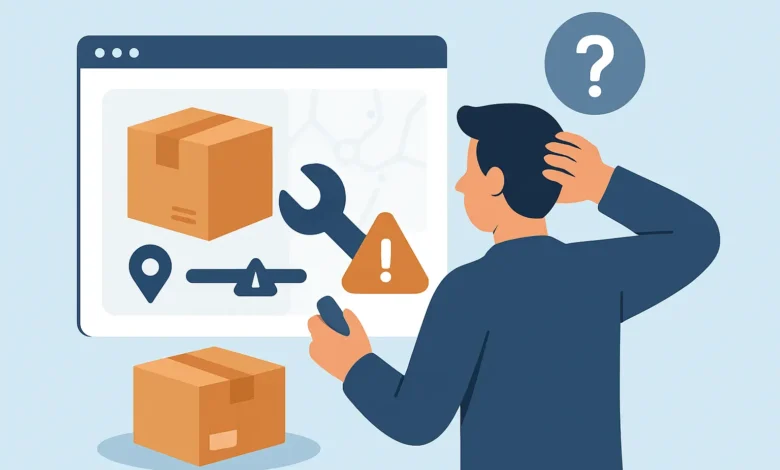
You check AfterShip before coffee. Same status. You check again after lunch. Same status. By night, you’re refreshing like it’s a live scoreboard – and the score never changes.
When AfterShip tracking not updating becomes your new hobby, it’s usually not because your package “disappeared.” It’s because tracking data is a messy chain of barcode scans, carrier handoffs, and delayed system updates. If one link lags, the whole story looks frozen.
This guide is built for the moment you’re in right now: you need a clear read on what’s normal, what’s not, and what to do next without wasting days.
What AfterShip is actually showing you
AfterShip isn’t the carrier. It’s a tracking layer that pulls shipment events from a carrier’s system, then displays them in a cleaner timeline. That matters because if the carrier’s tracking feed is delayed, incomplete, or temporarily down, AfterShip can’t invent scans.
So when AfterShip looks stuck, the root cause usually lives in one of three places: the carrier hasn’t posted a new event, AfterShip hasn’t pulled the newest event yet, or the tracking number itself is mismatched or reassigned.
There’s a simple way to think about it. AfterShip is the dashboard. The carrier is the engine. If the engine isn’t reporting, your dashboard stays quiet.
The most common reasons AfterShip tracking not updating
Most “stuck tracking” cases fall into predictable patterns. The trick is knowing which pattern you’re in so you don’t panic early – or wait too long.
1) The package is moving, but scans are missing
Carriers do not scan every single time a box changes hands. You can see “Accepted” and then nothing for 48 hours while it rides in a trailer, crosses state lines, or sits in a hub queue.
This is common with economy services, third-party logistics, and anything that starts overseas and enters the US through a consolidator. It’s also common when a driver is running heavy volume and the next scan happens only at the destination facility.
2) There’s a handoff to a different carrier
If your shipment starts with one network and finishes with another (think linehaul carrier to USPS for last-mile, or an international carrier to a domestic partner), tracking can “pause” during the handoff window.
Sometimes the original tracking number keeps working. Sometimes a new last-mile number exists but never gets shown cleanly in the tracking app you’re using. That’s one of the sneakiest causes of a tracking freeze.
3) Carrier system delays and batch uploads
Not every carrier updates in real time. Some upload scans in batches. Some have partial outages. Some show detailed events on their own site but provide fewer events through third-party APIs.
What that means for you: AfterShip can look stale even when the carrier’s native page has a fresh scan, or the opposite can happen where AfterShip refreshes later than you expect.
4) The label exists, but the package hasn’t been tendered
“Shipping label created” is not movement. It means a seller printed a label. The box might still be sitting on a dock, behind a counter, or waiting for a pickup.
If AfterShip is stuck at label creation for more than 24-72 hours (depending on the seller’s workflow), that’s not a tracking problem. That’s a fulfillment problem.
5) Customs and inspection holds
International shipments can go dead-silent at customs. You may get a scan like “Arrived at destination country” and then nothing while it’s processed.
It can clear in a day. It can take a week. The silence is normal – the timeline isn’t.
6) The tracking number is wrong, recycled, or for a different service
This one hits small businesses and marketplaces hard. A typo, an old number copied into the wrong order, or a reused number can show a timeline that doesn’t match your package.
If the AfterShip events show a city you’ve never heard of, a delivery date from last month, or a carrier you didn’t choose, assume the number is suspect until proven otherwise.
How long is “normal” for no updates?
You’re not looking for perfection. You’re looking for risk.
For many domestic US shipments, 24-48 hours without a scan can be completely normal, especially over weekends or after a late-day drop-off. For international or economy services, 3-7 days between meaningful updates can happen without anything being “wrong.”
The red-flag zone depends on what the last event was:
If the last event is “Label created,” your risk rises fast after day 3 because the carrier may not even have the package.
If the last event is “Accepted” or “Picked up,” you can usually give it 2-4 days before escalating, unless it was an express service.
If the last event is “Out for delivery” and it never changes by the end of day, that’s when you act now, not later. That’s a misroute, a missed scan, or an attempted delivery that didn’t record.
What to do right now (in the right order)
You don’t need 12 tabs open. You need a short, aggressive sequence that rules out the common failures.
Step 1: Confirm the carrier and service level
Look at what AfterShip says the carrier is. Then sanity-check it with what you were told at checkout. If the carrier is wrong, tracking can stall because AfterShip is polling the wrong system.
If you’re a seller or logistics coordinator, check your shipping label details in your platform. A single wrong carrier selection can create a tracking number that AfterShip recognizes – but can’t update correctly.
Step 2: Compare against the carrier’s own tracking
If the carrier’s site shows newer events than AfterShip, the fix is usually time. AfterShip will catch up once the API feed refreshes.
If the carrier’s site also shows no updates, that’s important. Now you know it’s not “AfterShip being broken.” It’s the shipment data itself.
Step 3: Look for hidden handoffs
Read the last real scan and ask: does this look like a transfer point? “Departed partner facility,” “Tendered to delivery service provider,” or similar language often means a last-mile carrier is about to take over.
If you see that kind of event, ask the seller for the last-mile tracking number if you don’t already have it. This is especially common with global e-commerce orders.
Step 4: Pressure-test the address and delivery window
If you’re waiting on a time-sensitive delivery (jobsite parts, equipment accessories, business inventory), don’t treat tracking like entertainment. Verify your delivery address is correct, including suite numbers and gate codes, and confirm whether signature is required.
A package can be physically at your local facility and still show stale tracking if the delivery exception is address-related and hasn’t been scanned properly.
Step 5: Escalate with the right party
Who you contact depends on where the package is in the chain.
If the shipment is stuck at “Label created,” the seller is your leverage point. They control whether the box was actually handed off.
If it shows “Accepted” and then silence, the carrier can start an inquiry, but many won’t do much until a minimum number of days pass.
If it shows “Out for delivery” or “Delivery attempted,” contact the carrier immediately. That’s the window where a same-day redelivery or hold-for-pickup can still be arranged.
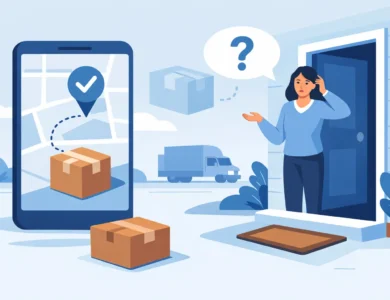
AfterShip says delivered, but you don’t have it
This is where people get burned, especially with apartments, shared mailrooms, and porch-heavy neighborhoods.
First, check the delivery location details if available (mailbox, front desk, parcel locker). Then check with neighbors and building staff. Misdeliveries are common, and the fastest recoveries happen within the first 24 hours.
If you’re a seller, don’t default to “customer is lying.” If you’re a buyer, don’t default to “carrier stole it.” Treat it like a routing problem until you have evidence otherwise. Carriers often can pull GPS delivery coordinates internally, but you may need to open a formal case.
When it’s a real problem, not just a slow scan
Tracking delays are normal. Patterns are not.
If you’ve got 7+ days with no scan after acceptance on a domestic shipment, or 10-14 days with no movement on an international shipment that should be inside the US by now, the odds shift. That’s when you start thinking about a lost package, a damaged label, a returned-to-sender loop, or a mis-sorted container.
Also watch for repeated “Arrived at facility” events bouncing between the same two cities. That’s a ping-pong loop. It usually needs manual intervention.
If you’re shipping parts or freight-adjacent items, treat tracking like operations
A lot of people reading this aren’t waiting on a phone case. You’re waiting on something that keeps work moving: jobsite consumables, equipment parts, or inventory that hits your cash flow.
If that’s you, don’t play the refresh game. Set a decision deadline. If there’s no new scan by that time, you reorder, route an alternate, or switch to pickup at a carrier facility. The trade-off is cost versus downtime, and downtime is usually the more expensive monster.
This is also where it helps to keep your own internal notes: the last scan time, promised delivery date, and who you contacted. When you escalate, clean facts get action. Rambling gets parked.
A quick word on expectations in 2025
Networks are faster than they used to be, but they’re also more complex. More third-party handoffs, more regional carriers, more consolidation. That complexity creates more “quiet miles” where your package moves but the tracking story doesn’t.
Your goal isn’t to force tracking to update. Your goal is to know when silence is normal and when silence is a warning siren.
If you want more no-nonsense tracking explainers like this, Promethazinephenergan.online keeps a steady rotation of carrier and platform breakdowns geared for people who need answers while the clock is running.
Keep your eyes on the last real scan, not the anxiety in your browser tab. When you act on the right signal at the right time, you’re not powerless – you’re in control of the next move.